What is pressure cycles?
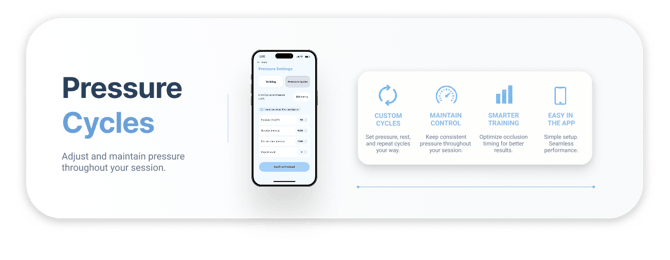
Pressure cycles is an automated BFR protocol built into the SAGA AirBands app. Instead of managing timers and manually controlling your cuffs, pressure cycles handles the entire session for you. Set your pressure, duration, rest period, and repeat count, and the AirBands cuffs will automatically inflate and deflate on schedule from start to finish. No manual adjustments, no watching the app, no interruptions.
Pressure cycles is designed for recovery, rehabilitation, and performance protocols where consistent, repeatable BFR application matters.
How to use pressure cycles
Pressure cycles automates the inflation and deflation of your AirBands based on your set protocol. Once started, the cuffs handle everything, no timers, no manual adjustments, no watching the app.
Before you begin
- Make sure your AirBands are connected via Bluetooth
- Ensure you have completed a Limb Occlusion Pressure (LOP) calibration. Pressure cycles uses your LOP as the baseline for all pressure settings
- Check you're on the latest firmware
With your AirBands connected, if an update is available, you'll see an update option
if you're already current, this option won't appear.
See the screenshots below for reference.
Update Available: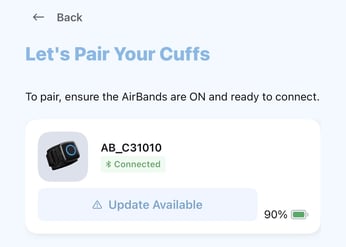
AirBands are up to date: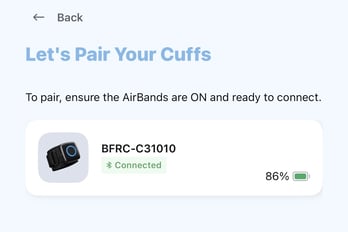
Setting up your protocol
- Open the SAGA AirBands app and navigate to Pressure Settings
- Select Pressure cCycles from the two options at the top of the screen (Training is for standard BFR)
- Your current LOP will display at the top of the screen in mmHg
- Set your parameters using the plus and minus controls:
- Pressure (LOP%) - the percentage of your LOP to inflate to during each cycle
- Duration - how long the AirBands stay inflated per cycle (minutes)
- Rest Duration - how long the AirBands deflate between cycles (minutes)
- Repeat Count - how many cycles to run in total
- Tap Confirm Protocol when you are ready
Running a session
- Tap start and the AirBands will begin inflating
- The timer will not start until the AirBands reach your set pressure
- The AirBands will inflate and hold for the set duration
- At the end of each duration, the AirBands will automatically deflate for the rest period
- At the end of the rest period, the AirBands will automatically inflate again for the next cycle
- This repeats until all cycles are complete
- The AirBands will automatically deflate at the end of the final cycle
- No alerts or notifications between phases. The AirBands inflate and deflate on their own throughout the session
Tips
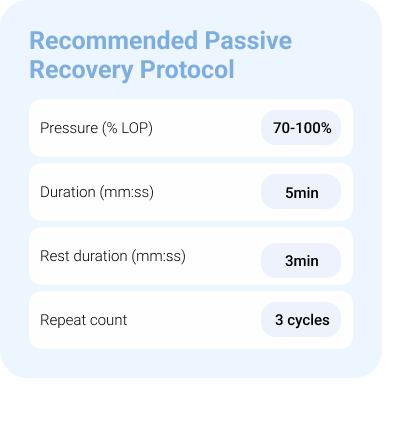
- A common starting protocol for recovery is 5 minutes on, 3 minutes off, repeated 3 to 5 times at 80% to 100% LOP. Adjust based on your goals and tolerance
- You do not need to keep the app open once the session has started
- For training rather than recovery protocols, use Training mode instead of Pressure cycles